Guide
Noiz AI: voice cloning, dubbing, and summarization in one platform
Estimated reading time: 12 minutes
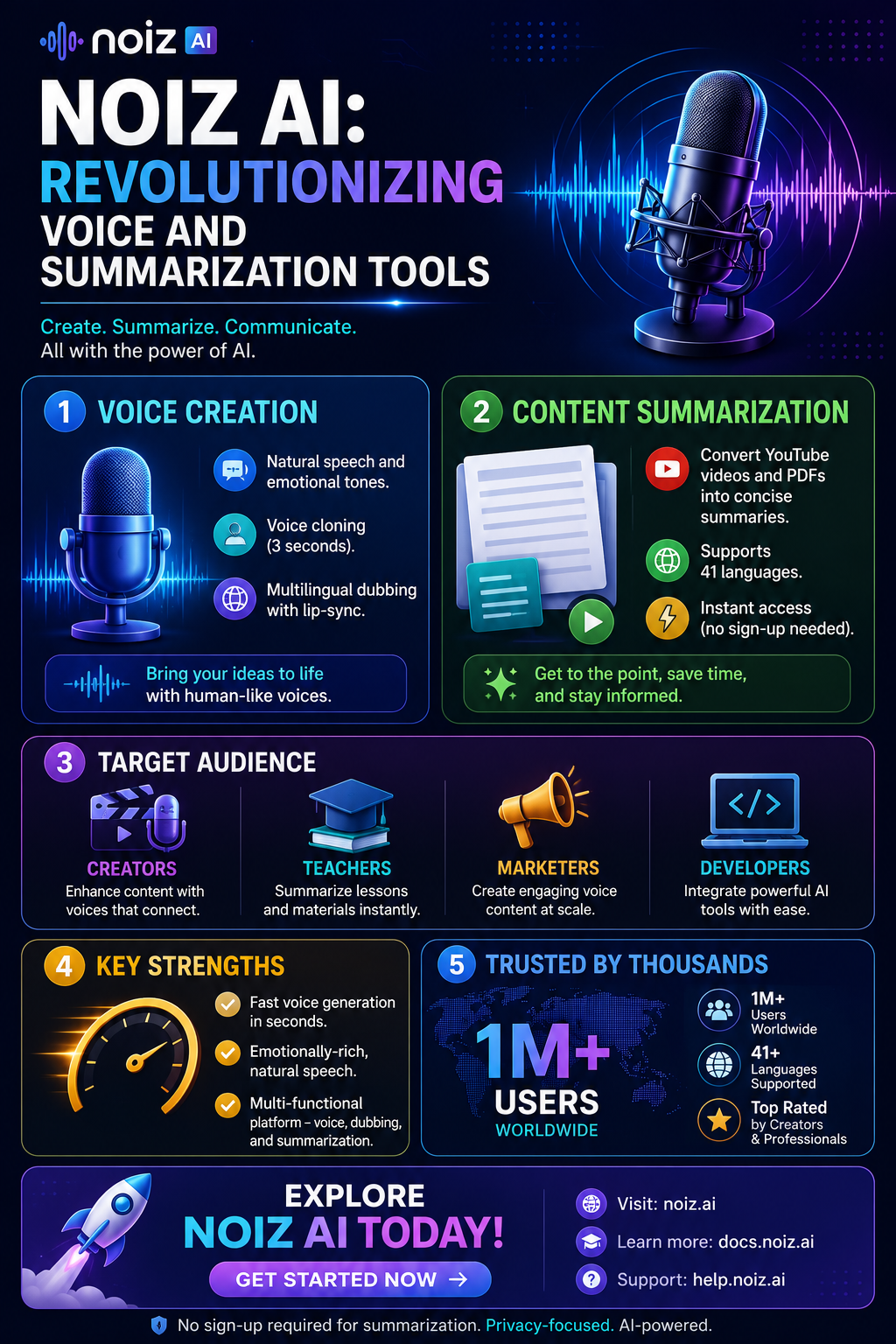
Most voice AI tools do one thing well and leave the rest to a different app. Noiz AI is unusual because it bundles two jobs that normally live in separate products: generating expressive, human-like speech, and summarizing long content (YouTube videos, PDFs) into something you can actually use. Whether that combination is a genuine advantage or just convenient bundling depends on what you need it for, and that's what this guide sorts out.
Key takeaways
- Noiz AI splits into two halves: a voice platform (TTS, cloning, dubbing, voice design) and a summarization suite (YouTube, PDFs, documents).
- The voice side leans on emotional nuance and fast cloning rather than raw feature count.
- The summarization side turns long videos and documents into notes, transcripts, and timestamped highlights.
- It targets creators, teachers, marketers, developers, and teams, not one narrow niche.
- In the voice AI comparison space, its standout claims are 3-second voice cloning and emoji-level emotional control.
- Some specifics, enterprise pricing and the full voice-safety policy in particular, aren't clearly published, so verify those directly before committing a team to it.
Table of contents
- What is Noiz AI?
- Noiz AI voice platform: natural speech and dubbing
- Noiz AI voice tools: cloning, design, and emotion control
- Noiz.ai summarization tools: YouTube and PDF support
- Noiz AI pricing, access, and user base
- Noiz AI strengths in the voice AI comparison
- FAQ
What is Noiz AI?
Noiz AI is built around two functions: generating human-like voice audio, and summarizing long content into notes you can skim. Put simply, it's a voice studio and a summary tool sharing one account. Typical actions people take on the platform:
- Write a script and convert it to speech
- Clone a voice from a short sample
- Dub a video into other languages with timing alignment
- Clean up a poor-quality recording
- Summarize a YouTube video or a PDF
That combination is why Noiz gets described two different ways depending on who's writing: a voice ecosystem for creators, and a productivity tool for people trying to get through more content in less time. Both descriptions are accurate; they're just describing different halves of the product.
Marketing materials cite a user base north of 1 million, spanning video, ads, podcasts, lessons, and app content. Take that number with the usual grain of salt that applies to any self-reported user count, but the range of use cases lines up with what the product actually does.
What draws people in, based on public reviews and product listings:
- Fast voice generation with emotional nuance
- Multilingual dubbing with lip-sync-aware timing
- Quick summarization and transcription workflows
Sources: Comparateur IA, Product Hunt, Capterra
Noiz AI voice platform: natural speech and dubbing
Noiz's voice side is built around one goal: speech that sounds alive instead of flat.
Human-like speech quality
Public reviews describe Noiz's main voice model (often referenced as a V2 model) aiming for natural rhythm and pacing, sentence-level emotional nuance, and realistic pauses, breaths, and small vocal quirks. The model tries to match delivery to the script's mood, calmer for soft lines, stronger for dramatic ones, which is where it earns its keep in storytelling, ads, and character work.
Text-to-speech for creators
Noiz converts scripts into spoken audio for narration, character voices, ads, lessons, podcasts, and story voiceovers. Mood controls, including emoji-style direction, let non-technical users guide tone (warmer versus softer delivery) without touching a slider. Pre-built specialty voices (seasonal or character-driven) cover use cases like children's stories or branded content.
Multilingual dubbing with lip-sync
The dubbing feature emphasizes timing alignment with the original video, matching tone and rhythm, and lip-sync-aware line replacement. This is aimed at YouTube dubbing, e-learning localization, podcasts, and marketing videos meant for multiple regions. It's a similar pitch to what ElevenLabs offers with Dubbing Studio, though Noiz leans more on automated lip-sync matching.
Workflow and editing tools
One-click dubbing, line-by-line replacement and editing, speed adjustments, and script-to-audio conversion let you fix a single line without rebuilding the whole project.
Voice enhancement and repair
Built-in noise reduction and echo/reverb removal can lift a rough, remote-recorded clip toward something closer to studio quality.
Music and sound effects
Background music and SFX generation are built in, so you can produce a finished piece (voice, music, and sound design together) without leaving the platform.
Sources: Noiz storytelling voice generator, Noiz voice enhancement, VoiceAISpace, EveryDev AI
Noiz AI voice tools: cloning, design, and emotion control
This is the section that actually differentiates Noiz from a generic TTS tool.
3-second voice cloning
Noiz claims it can clone a voice from roughly 3 seconds of audio, notably shorter than what most competitors ask for. If that holds up in practice, it means faster production, a consistent voice across clips without re-recording, and quicker testing when you're iterating on a character or brand voice. Fish Audio and ElevenLabs both typically ask for longer samples for a stable clone, so this is a real point of difference if the quality holds at that sample length.
Voice design from text or images
You can design a voice from a descriptive prompt ("warm," "playful," "British storyteller"), and some materials mention image-guided voice design, where a picture helps define the character's style. That's useful for fictional characters, game voices, mascots, and branded personas where no real-world sample voice exists to clone from.
Emotional control made simple
Noiz splits emotional control into automatic sentiment reading that adjusts delivery on its own, and manual style options (whispers, laughter, breath placement, intensity shifts) for when you want to direct it yourself. Inputs are emoji-based or descriptor-based rather than technical sliders, which is a real usability difference for people who don't want to learn what "stability" and "similarity boost" mean on a competing platform.
Why emotion matters here
Emotion is what separates competent TTS from narration people actually want to listen to. Noiz's bet on emotional nuance is aimed squarely at storytelling, advertisements, and any content where flat delivery would be noticeable.
Typical users: content creators, podcasters, audiobook producers, filmmakers, teachers, marketers, and developers. If you're comparing options in this space, Murf AI, Play.ht, and Resemble sit in similar territory but with different tradeoffs on pricing and studio depth.
Sources: YouTube walkthrough, SourceForge comparison, Product Hunt
Noiz.ai summarization tools: YouTube and PDF support
The other half of the product has nothing to do with voice. It's built to cut down on how much time you spend consuming long content.
YouTube video summaries
Noiz processes YouTube links (sources note support for long videos) and pulls out the main ideas. It offers summaries in multiple formats, bullet points, Q&A, short or long summaries, essay-style notes, plus timestamps that let you jump straight to the relevant moment. That's built for lectures, webinars, podcasts, and interviews where the useful part is often 10 minutes inside a 90-minute recording.
Full transcripts
The service also produces readable transcripts you can quote from, turn into subtitles, or use for study and content reuse.
Multi-language summaries
Public listings cite support for around 41 languages, which matters if you're working across a global team or studying content that isn't in your first language.
PDF and document summarization
Noiz also handles PDFs, DOC/DOCX, and plain text files, useful for reports, papers, books, and long articles where you need the key points without reading the whole thing. This puts it in similar territory to dedicated tools like Scholarcy for research-heavy summarization, though Noiz's version is bundled into a broader platform rather than being the sole focus.
Privacy and access
Summarization tools are often free and sometimes usable without signing up. Some product pages advertise temporary deletion of processed files after use, which lowers the barrier for students, researchers, and anyone wary of uploading documents to a third party.
Workflow benefit
A common flow: summarize a video, extract the key points, write a short script from those points, then pass that script to Noiz's voice engine. That's video-to-summary-to-speech inside one system, instead of exporting between three separate tools.
Sources: YouTube demo, Noiz PDF summarizer, CompleteAITraining, AI Parabellum
Noiz AI pricing, access, and user base
Public pricing information is inconsistent across listings, but a few patterns hold up.
Voice platform pricing
Noiz's voice features are positioned as creator-friendly and competitively priced, with some marketing citing prices notably below rivals, plus promotional starter deals (credits or discounted first months). Because pricing shifts often on this kind of platform, check Noiz's own pricing page before budgeting rather than relying on any figure quoted here or elsewhere.
Summarization access
Summarization tools are frequently listed as free with open access and no registration required.
User base and reach
Marketing materials and directory listings cite a user base above 1 million worldwide, spanning creators, editors, marketers, educators, and developers.
Platforms and access
Noiz is available through a browser/web app, desktop builds, a Chrome extension for YouTube summaries, mobile apps for some tools (iOS/Android), and API/SDK options for developers who want to build it into their own product.
Sources: Capterra, Future Tools, VoiceAISpace, Product Hunt
Noiz AI strengths in the voice AI comparison
When people evaluate voice tools, they're usually weighing voice quality, speed, cloning ability, ease of use, language support, dubbing, price, editing tools, and safety controls. Where Noiz stands out:
- Emotional realism: sentence-level sentiment, natural pacing, breaths, and tone variation.
- Very short cloning samples: around 3 seconds for voice cloning, versus longer requirements from most competitors.
- An all-in-one platform: TTS, cloning, voice design, dubbing, enhancement, music/SFX, summarization, and transcription under one account.
- Simple emotional controls: emoji and descriptor-based inputs instead of technical parameters.
- A genuine content-repurposing flow: summarize a video, write a script, generate or dub audio, without switching tools.
What to watch for before you commit:
- Exact voice consent and safety policies (how cloning is governed isn't fully public)
- How complete the language list and dubbing coverage actually are in practice, not just in marketing copy
- Enterprise pricing and limits for larger teams
Bottom line: Noiz is a strong option when you want expressive speech, fast cloning, easy dubbing, and a summary-to-voice workflow in one place. If you specifically need a mature dubbing studio with a large enterprise track record, ElevenLabs is the more established alternative; if pure narration quality across long-form audiobooks matters more than the bundled tools, Speechify or Synthesia are worth comparing too.
Sources: SourceForge comparison, Noiz storytelling voice generator
FAQ
What is Noiz AI used for? Voice generation, voice cloning, dubbing, video summarization, PDF summarization, and transcription. The point of bundling all of it is to speed up production and make long content easier to consume.
Is Noiz AI only a voice generator? No. It combines a voice platform with summarization and transcription tools, which is what sets it apart from single-purpose TTS products.
Can Noiz AI clone a voice quickly? Yes. Public sources state cloning from about 3 seconds of audio, noticeably faster than most competing platforms require.
Does Noiz AI support dubbing? Yes. It supports multilingual dubbing with timing and lip-sync-aware adjustments, aimed at localizing video content across regions.
Can Noiz AI summarize YouTube videos? Yes. It produces summaries, full transcripts, and timestamped highlights so you can jump straight to the relevant part of a long video.
Does Noiz AI work with PDFs? Yes. It summarizes PDFs and common document formats (DOC, DOCX, plain text), pulling out key points to cut down reading time.
Is Noiz AI free? Summarization tools are often free. Voice features typically run on paid plans or credits, so check the product's own pricing page for current numbers.
Who should use Noiz AI? YouTubers, podcasters, teachers, marketers, filmmakers, app developers, students, and researchers, essentially anyone who needs either expressive voice generation or fast content summarization, and especially anyone who wants both without juggling separate tools.
Are there any limitations to be aware of? Public information doesn't fully document every safety policy, language availability detail, or enterprise pricing tier. Teams with strict compliance or sensitive data needs should confirm those specifics directly with Noiz rather than relying on third-party listings.
3 curated tools below.
Fish.audio
Fish Audio is a legitimate AI TTS and voice-cloning platform (not a scam site). It is safe when you have consent to clone a voice and stay inside their plan terms. Free and paid web plans plus a developer API undercut many ElevenLabs rates per character.
Noiz.ai
Noiz AI is an AI audio studio for emotional text-to-speech, rapid voice cloning, voice design from text or images, and multilingual video dubbing with lip sync. Its V2 Emotion Pro model supports emoji-based emotion control, SSML, and a 200+ voice library for creators producing podcasts, audiobooks, and localized video content.
Play.ht
Play.ht is an AI voice generation platform that converts text to natural-sounding speech across hundreds of voices and languages. It supports voice cloning, commercial licensing, API access, and podcast-style audio production. The product serves creators, marketers, and developers who need scalable TTS without recording talent.
| Tool | Best for | Pricing | Billing note |
|---|---|---|---|
| Fish.audio | Text To Speech | Freemium | Free Trial |
| Noiz.ai | Text To Speech | Freemium | Free Trial |
| Play.ht | Voice To Text | Freemium | Free Trial |