Comparison
Mac mini M6 vs M5 Pro for local LLMs: memory, cost, and what actually runs
Key takeaways
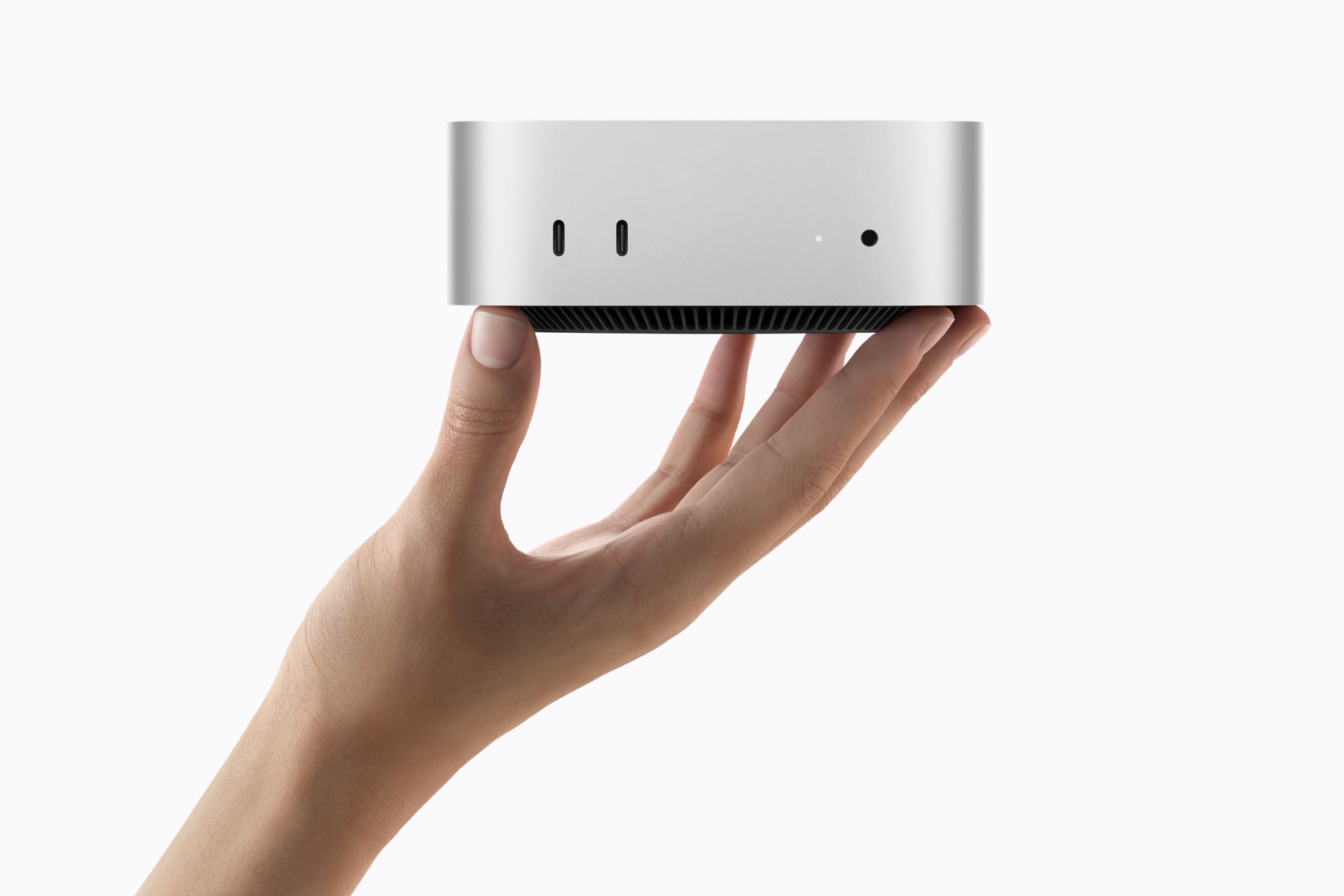
- Apple announced a new Mac mini on August 25, 2026 with M6 (from $899) and M5 Pro (from $1,699). Ships starting September 22.
- For local LLMs, unified memory size matters more than chip marketing. M6 tops out at 32GB; M5 Pro goes to 64GB with higher memory bandwidth (307GB/s vs up to 170GB/s on M6, per Apple).
- Treat Apple’s “up to 4x / 8.5x faster LLM prompt processing in LM Studio” numbers as vendor claims until you reproduce them on your models and quants.
- Buy M6 for everyday local chat, light agents, and coding copilots on-device. Buy M5 Pro when you need larger models, heavier context, diffusion, or an always-on agent box with Thunderbolt 5.
- Local runtimes still do the real management work: Ollama, LM Studio, and Apple’s MLX path. Pair with cloud tools like ChatGPT or Claude when size or multimodal needs exceed the desk.
Table of contents
- What Apple actually announced
- The local LLM rule: memory first
- M6 vs M5 Pro side by side
- What you can realistically run
- Which should you choose?
- FAQ
What Apple actually announced
Apple’s August 25, 2026 newsroom post positions Mac mini as a small desktop for productivity and on-device AI: local models, Apple Intelligence / Siri AI on macOS 27, and “deskside agentic computing.”
Useful facts for buyers (confirm live on apple.com/mac-mini before you order):
| Spec | Mac mini M6 | Mac mini M5 Pro |
|---|---|---|
| US start price | $899 ($799 education) | $1,699 ($1,599 education) |
| CPU / GPU (Apple framing) | 12-core CPU, 12-core GPU | Up to 18-core CPU, up to 20-core GPU |
| Unified memory | 16GB standard, up to 32GB | Up to 64GB |
| Memory bandwidth | Up to 170GB/s | 307GB/s |
| Thunderbolt | Thunderbolt 4 (x3 rear) | Thunderbolt 5 (x3 rear) |
| Networking | Wi-Fi 7, Bluetooth 6, 2.5Gb Ethernet (10Gb option) | Same class of upgrades |
| Availability | Pre-order Aug 25; arrives from Sept 22 | Same |
Apple’s AI performance claims (vendor):
- M6: up to 4x faster AI vs Mac mini with M4; Dual 16-core Neural Engine “up to 2x”; LM Studio LLM prompt processing up to 4.8x vs M4 and 13.5x vs M1
- M5 Pro: LM Studio LLM prompt processing up to 4x vs M4 Pro and 8.5x vs M2 Pro; Thunderbolt 5 clustering called out for large on-device models
Those multipliers are not a substitute for “will my 70B Q4 fit and feel usable.”
The local LLM rule: memory first
For open-weight chat and agents on Apple Silicon, the simplest useful definition is:
Local LLM capacity on a Mac is mostly a unified-memory problem. The chip moves tokens; RAM decides which model weights you can hold without thrashing.
What people often lump together:
- Chip generation (M6 / M5 Pro): affects tokens/sec and neural-accelerator paths
- Unified memory size: affects model size, context, and concurrent apps
- Runtime (Ollama / LM Studio / MLX): affects format support, memory overhead, and API ergonomics
- Quantization: Q4 vs Q8 vs full precision changes the same RAM budget dramatically
A simple mental model: buy memory for the models you want; buy Pro when bandwidth, TB5, and headroom are part of the job.
M6 vs M5 Pro side by side
| Decision factor | Prefer M6 | Prefer M5 Pro |
|---|---|---|
| Budget | Under ~$1,200 all-in for a solid local box | Willing to start at $1,699+ |
| Peak RAM | 32GB is enough | 48-64GB is the point |
| Workload | Chat, coding assistants, small agents | Larger LLMs, heavier context, diffusion / upscaling, research datasets |
| Desk role | Primary Mac that also runs local models | Always-on deskside agent / studio adjacent |
| I/O | TB4 is fine | TB5 + optional clustering story |
M6 still matters: Apple is selling it as the first Mac mini with Neural Accelerators in each GPU core and a Dual 16-core Neural Engine. For many builders, that is enough if models stay in the “fits in 24-32GB comfortably” band.
What you can realistically run
Exact fit depends on quant, context length, and whether the UI, browser, and IDE share the same memory pool. Use this as a planning sketch, not a warranty:
| Unified memory | Typical local LLM posture (quantized) |
|---|---|
| 16GB | Small / mid models; tight multitasking; keep context modest |
| 24-32GB (M6 max) | Comfortable everyday local chat and many coding models; larger MoE or 70B-class gets painful or impossible depending on quant |
| 48-64GB (M5 Pro) | Room for larger weights, longer context, and “model + agent tooling” concurrency |
Runtime notes for management (2026 ecosystem pattern):
- Ollama: fastest path to an OpenAI-compatible local API for tools and agents
- LM Studio: GUI + local server; Apple’s own LM Studio claims are the headline AI benchmarks in the newsroom post
- MLX / mlx-lm: Apple-native path when you care about throughput and fine-tune experiments on Silicon
You still manage models like software: pin versions, track disk used by weights, and separate “playground” from “API the team hits.”
Which should you choose?
- Choose M6 if you want a quiet desk Mac that runs solid local models up to the 32GB ceiling and you already live in cloud APIs for the biggest jobs.
- Choose M5 Pro if local LLM management is a primary reason to buy: larger models, always-on agents, TB5, and fewer “out of memory” surprises.
- Look at Mac Studio (also refreshed in the same news cycle per press coverage) if even 64GB on mini will not cover your research or multi-model serving needs.
Related on 101aitools: Cursor for coding agents that can point at a local endpoint, ChatGPT and Claude when cloud still wins on capability.
3 curated tools below.

ChatGPT
ChatGPT is OpenAI's flagship conversational AI on web, mobile, and desktop. It covers writing, coding, research, image/video, voice, and agentic work. As of late 2026, paid Work and Codex surfaces expose the GPT-6 family (including GPT-6.1 Sol), while Pro/Business Premium users in eligible markets get OpenAI Dots: always-on agents with their own cloud computer.

Claude
Claude is Anthropic's AI assistant for nuanced writing, long-context reasoning, and coding via Claude Code. The Claude 5.5 family (including Sonnet 5.5, launched September 28, 2026) is the current default for fast, cost-efficient professional and coding work on claude.ai and the Claude API.

Cursor Ai
Cursor is an AI-native code editor (VS Code fork) for software developers. Agent mode plans and edits across your repo with frontier models (GPT, Claude, Gemini, and others). Tab completions stay unlimited on paid plans; agent and premium model use is metered. Use Cursor when you want full-repo context inside the editor. Prefer GitHub Copilot when PR review and GitHub-native seats matter more. Many teams run both.
| Tool | Best for | Pricing | Billing note |
|---|---|---|---|
| ChatGPT | AI chatbot / general-purpose assistant | Freemium | Free Trial |
| Claude | AI chatbot / reasoning & coding assistant | Freemium | Free Trial |
| Cursor Ai | Code | Freemium | Free Trial |
Frequently asked questions
Is the Mac mini M6 good for local LLMs?
Yes for everyday on-device chat and light agents, especially if you configure toward **32GB**. It is not the ceiling of Apple Silicon LLM hosting; M5 Pro and Studio still own the larger memory bands.
Does M5 Pro run local LLMs faster than M6?
Often yes on heavier prompts and larger models, per Apple’s LM Studio claims and the higher memory bandwidth. Your tokens/sec still depend on model, quant, and runtime. Memory fit can matter more than the chip name.
How much RAM do I need for local LLMs on Mac mini?
Plan from the model up. Many builders treat **32GB** as the practical M6 target and **64GB** as the reason to pay for M5 Pro. 16GB base configs are easy to outgrow if local AI is the point of the purchase.
Can I cluster Mac minis for bigger models?
Apple says Thunderbolt 5 on M5 Pro can cluster multiple Mac mini systems for large on-device models. Treat that as an advanced path: verify software support for your runtime before you buy two machines for one model.
Should I wait for independent benchmarks?
If you are buying primarily for LLM tokens/sec, yes. Use Apple’s numbers as directional, then check community benches on your target model after units ship (September 22, 2026 onward).