Guide
How to run a Mac mini as your local LLM server (Ollama, LM Studio, agents)
Key takeaways
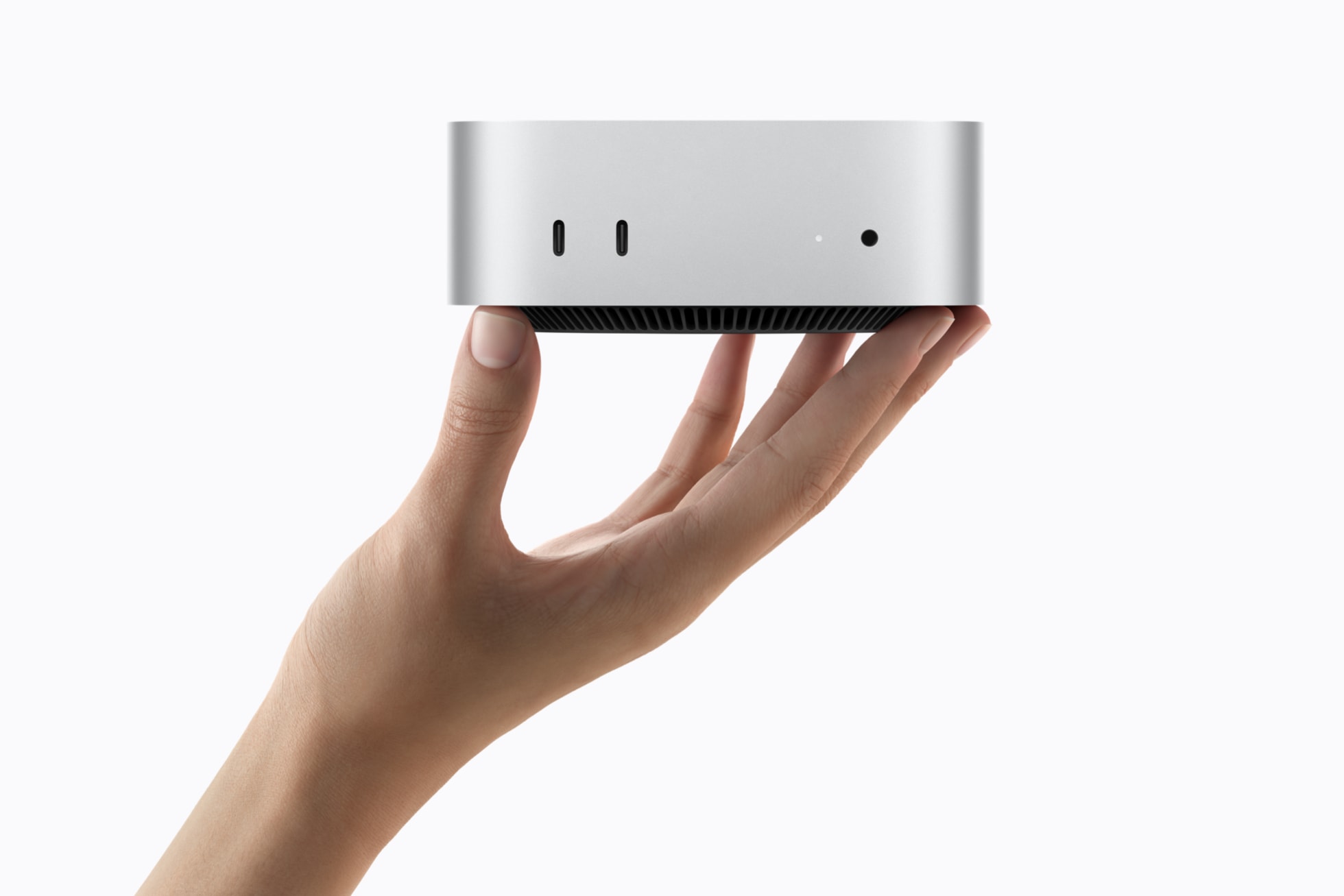
- A Mac mini fits local LLM management as a small, quiet, always-on inference box: one machine serves models to your laptop, IDE, and internal tools.
- Apple’s 2026 Mac mini messaging explicitly calls out deskside agentic computing. The management problem is still yours: runtimes, model versions, disk, network exposure, and updates.
- Default stack for most teams: Ollama or LM Studio as the local OpenAI-compatible server; point Cursor and other clients at
localhostor a LAN URL. - Prefer M5 Pro / higher RAM if the mini is dedicated to agents and larger weights. M6 works for lighter always-on chat APIs.
- Local does not mean “set and forget.” Pin models, separate experiment vs production endpoints, and keep cloud fallbacks (ChatGPT, Claude, Together AI) for overflow.
Table of contents
- What “local LLM management” means here
- Hardware posture for a deskside server
- Runtime choices
- A practical control-plane setup
- Agents, IDEs, and other clients
- Ops checklist
- FAQ
What “local LLM management” means here
People say “run local LLMs” and mean three different jobs:
- Chat app on one Mac: download a model, talk to it, done
- Local API server: one host exposes
/v1/chat/completions-style endpoints to other apps - Agent backend: tools, browsers, and schedulers call that API all day
This piece is about jobs two and three: treating the Mac mini as a control plane for inference, not only as a personal chat window.
Useful definition: local LLM management is versioning, serving, and governing on-device models the way you already govern cloud API keys: least privilege, pinned versions, observable cost (here: power + disk + your time).
Hardware posture for a deskside server
From Apple’s August 25, 2026 Mac mini refresh:
- Small footprint, quiet efficiency pitch, Ethernet upgrades (2.5Gb standard, 10Gb option)
- M6 up to 32GB unified memory; M5 Pro up to 64GB and Thunderbolt 5
- Explicit “always-on” / agentic desktop framing
For a dedicated LLM box:
| Role | Sensible config direction |
|---|---|
| Personal API for one developer | M6, push toward 32GB, wired Ethernet |
| Shared deskside agents / larger models | M5 Pro, 48-64GB, consider 10Gb if LAN heavy |
| Multi-machine experiments | M5 Pro TB5 clustering only after runtime support is proven |
Put the mini on UPS if agents matter overnight. Thermal and fan noise are usually fine; disk fill from model weights is the silent killer.
Runtime choices
| Runtime | Best for | Management notes |
|---|---|---|
| Ollama | Fast CLI + local API for builders | Easy model pull/run; good default for agent wiring |
| LM Studio | GUI operators; Apple used it in Mac mini AI claims | Local server mode; friendlier for non-terminal teammates |
| MLX / mlx-lm | Apple-native speed / research / fine-tune path | More Python ops; often best raw Silicon utilization |
You can run more than one, but pick a primary production endpoint so clients do not drift across ports and model names.
A practical control-plane setup
- Install one primary runtime (Ollama or LM Studio). Confirm the local API responds on the expected port.
- Pull a small known-good model first (sanity check), then the model your agents will use daily.
- Pin the model tag in docs and client configs. “latest” is how surprise regressions ship.
- Bind thoughtfully: localhost-only for a solo desk; LAN bind only behind a trusted network or reverse proxy with auth.
- Separate volumes or folders for model caches so you can wipe experiments without deleting the OS.
- Add a cloud failover in the client (Cursor / app config) when the mini is updating or overloaded.
Mental model: the mini is your private model router. Clients should not care whether today’s backend is local Qwen or cloud Claude, as long as the contract stays stable.
Agents, IDEs, and other clients
Typical consumers of a Mac mini LLM server:
- Coding agents and IDEs such as Cursor pointed at a custom OpenAI-compatible base URL
- Internal chat UIs and RAG apps on the same LAN
- Automation / agent frameworks that need low-latency tool loops without sending prompts to a vendor
Privacy win: prompts and proprietary code can stay on your network. Capability tradeoff: local open models still lag frontier cloud systems on hard reasoning and some multimodal jobs. Keep ChatGPT, Claude, or API aggregators like Together AI in the toolkit for those cases.
Ops checklist
- [ ] RAM sized for target model + OS + concurrent apps
- [ ] Primary runtime chosen; secondary is optional
- [ ] Model tags pinned in client configs
- [ ] Disk budget for weights (and a cleanup habit)
- [ ] Network bind decision documented (localhost vs LAN)
- [ ] Update cadence for macOS + runtime
- [ ] Cloud failover named
- [ ] One “smoke test” prompt after every model change
4 curated tools below.

ChatGPT
ChatGPT is OpenAI's flagship conversational AI on web, mobile, and desktop. It covers writing, coding, research, image/video, voice, and agentic work. As of late 2026, paid Work and Codex surfaces expose the GPT-6 family (including GPT-6.1 Sol), while Pro/Business Premium users in eligible markets get OpenAI Dots: always-on agents with their own cloud computer.

Claude
Claude is Anthropic's AI assistant for nuanced writing, long-context reasoning, and coding via Claude Code. The Claude 5.5 family (including Sonnet 5.5, launched September 28, 2026) is the current default for fast, cost-efficient professional and coding work on claude.ai and the Claude API.

Cursor Ai
Cursor is an AI-native code editor (VS Code fork) for software developers. Agent mode plans and edits across your repo with frontier models (GPT, Claude, Gemini, and others). Tab completions stay unlimited on paid plans; agent and premium model use is metered. Use Cursor when you want full-repo context inside the editor. Prefer GitHub Copilot when PR review and GitHub-native seats matter more. Many teams run both.

Together AI
Together AI is a cloud platform for running, fine-tuning, and training open-source and proprietary AI models at scale. It offers serverless inference across chat, vision, image, audio, video, transcription, embedding, and reranking models, along with dedicated GPU endpoints, on-demand/reserved GPU clusters (H100, H200, B200, GB200), and managed fine-tuning. It serves AI developers, startups, and enterprises such as Cursor, Zoom, and Salesforce building on open models.
| Tool | Best for | Pricing | Billing note |
|---|---|---|---|
| ChatGPT | AI chatbot / general-purpose assistant | Freemium | Free Trial |
| Claude | AI chatbot / reasoning & coding assistant | Freemium | Free Trial |
| Cursor Ai | Code | Freemium | Free Trial |
| Together AI | 3D | Paid | Paid Service |
Frequently asked questions
Can a Mac mini replace cloud LLM APIs?
For many internal chat, coding, and agent loops, yes as a **default**. For frontier capability, compliance review of vendor models, or burst load, keep cloud. Local is a management choice, not a religion.
Is Ollama or LM Studio better on Mac mini?
Ollama usually wins for developers wiring APIs quickly. LM Studio wins when teammates need a GUI and a local server without living in Terminal. Both belong in a serious Silicon local stack in 2026.
How do I expose the Mac mini LLM API safely?
Prefer localhost or a private LAN. If you must go further, put auth and TLS in front (reverse proxy). Do not port-forward an open Ollama instance to the public internet.
Does Apple Intelligence replace Ollama on the new Mac mini?
No. Apple Intelligence / Siri AI on macOS 27 is the system assistant layer. Ollama and LM Studio are how most builders manage **open-weight** models and custom agent backends.
What Mac mini should I buy for an always-on LLM server?
If the box exists mainly for local models and agents, bias to **M5 Pro with as much unified memory as you can justify**. If it is a general desk Mac that also serves light local APIs, **M6 at 32GB** is the practical starting point.